When you first add a public box to your collection, import a file, or create a new box from scratch, all cards start in "Inactive" mode. This manual will show you how to activate your cards and begin your journey toward long-term mastery.
The Logic: To progress effectively, you should gradually activate cards based on your capacity. This prevents you from being overwhelmed and keeps your study sessions focused.
📥 Step 1: Initiating the Transfer
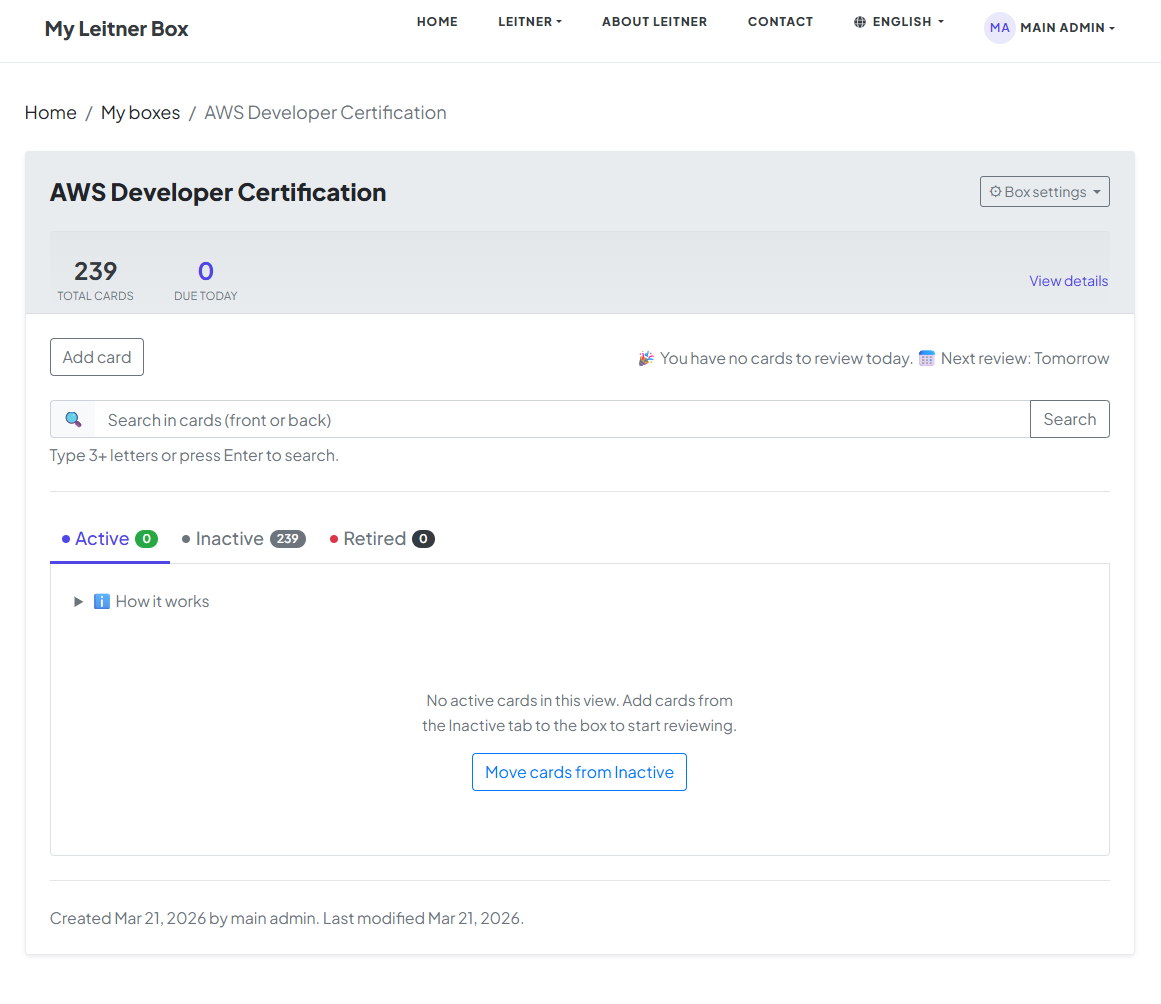
At the beginning, all cards in your box will be in inactive mode. You have two ways to bring them into your study rotation:
-
The Shortcut: Click the "Move cards from Inactive" button on your dashboard.
-
The Manual Choice: Go directly to the Inactive tab and manually change the status of specific cards to "Active."
In this manual, we will proceed by clicking the "Move cards from Inactive" button.
🔢 Step 2: Choosing Your Daily Load
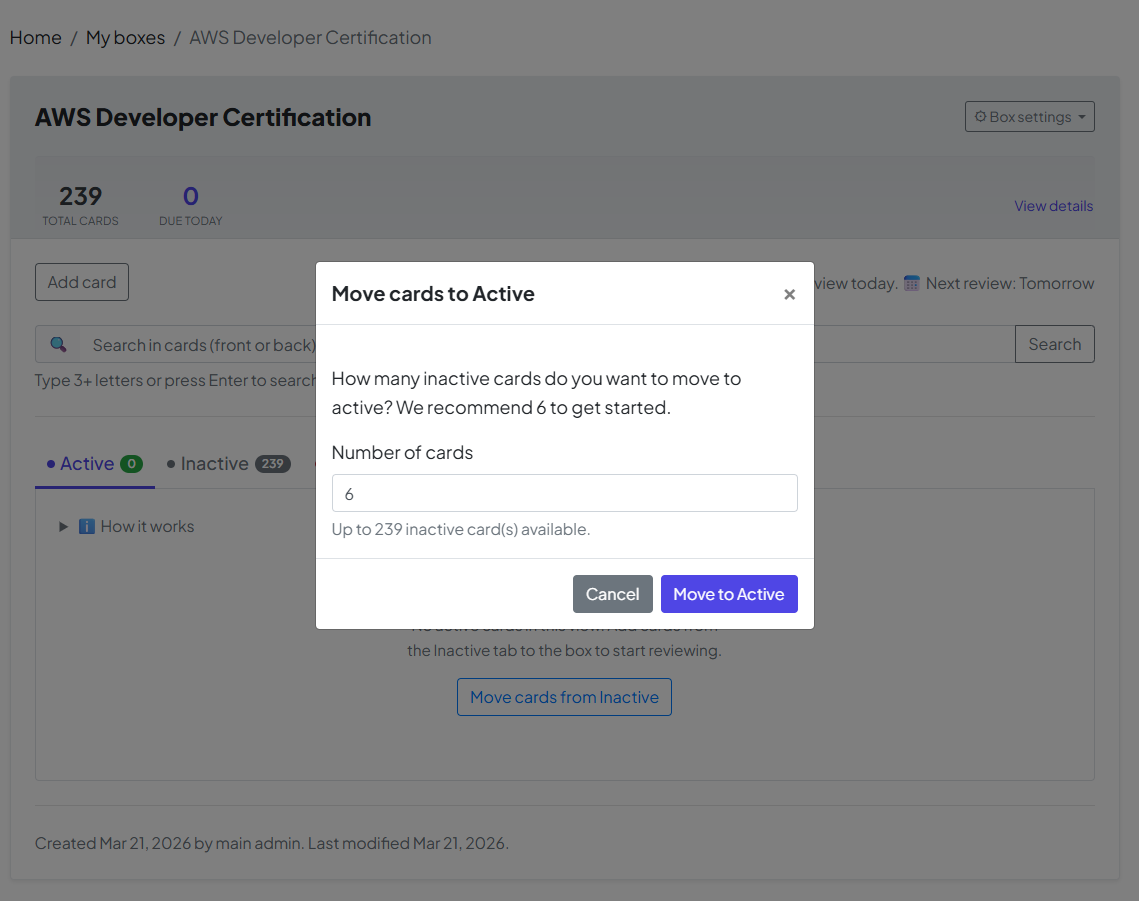
Once you click the button, a window will appear showing the default number of cards to move.
-
The Default: The system suggests 6 cards as a starting point.
-
Your Choice: You can change this number if you want to tackle more or fewer cards today. Once you have set your number, click "Move to Active" to confirm.
📝 Step 3: Starting the Review
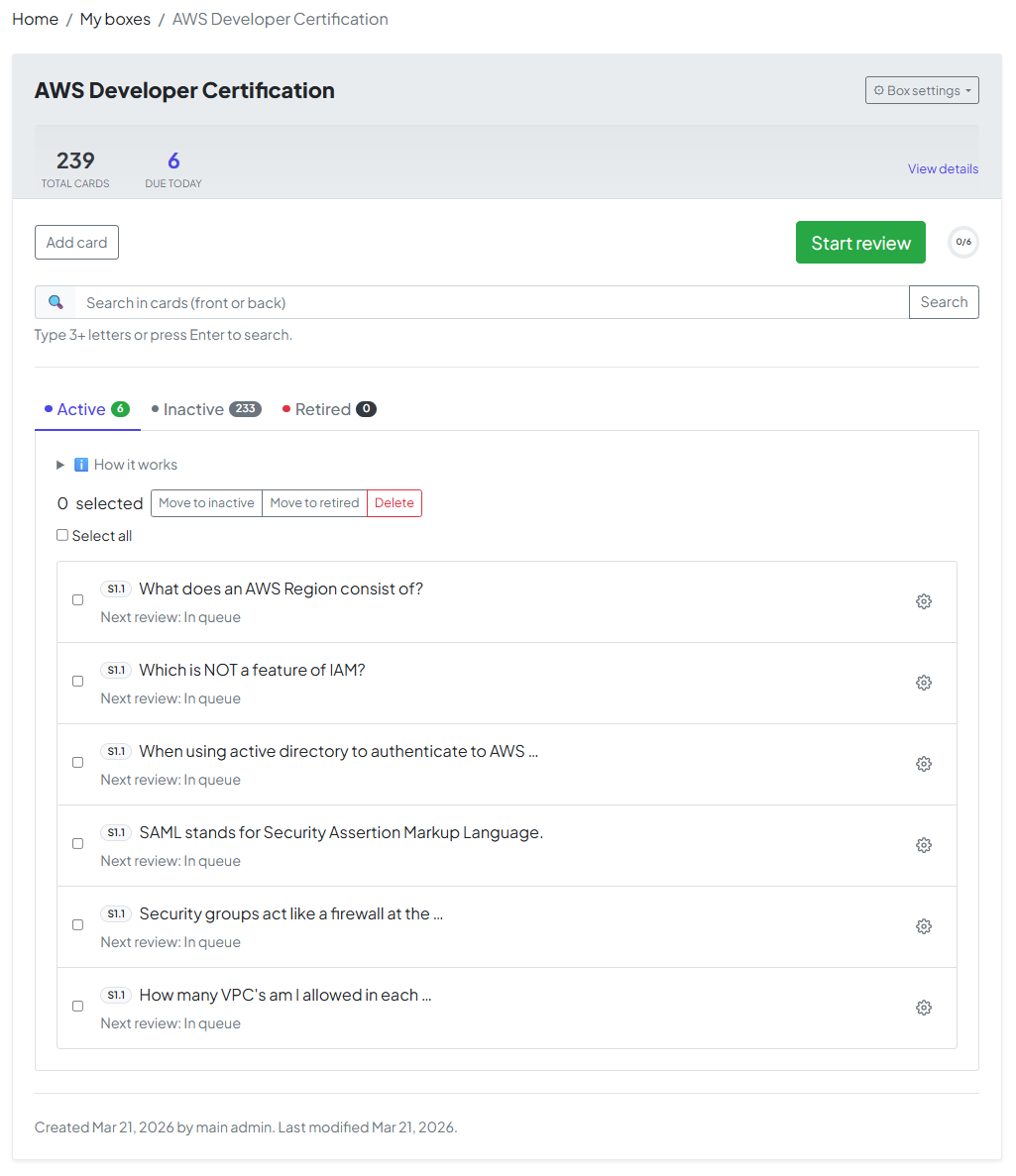

Now that you have active cards, your box is live! Click the "Start Review" button to begin the review process. The system will now present your cards for testing.
📊 Step 4: Tracking Your Progress
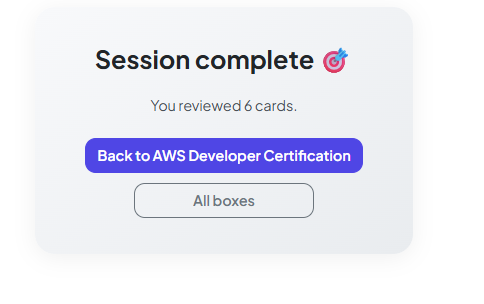
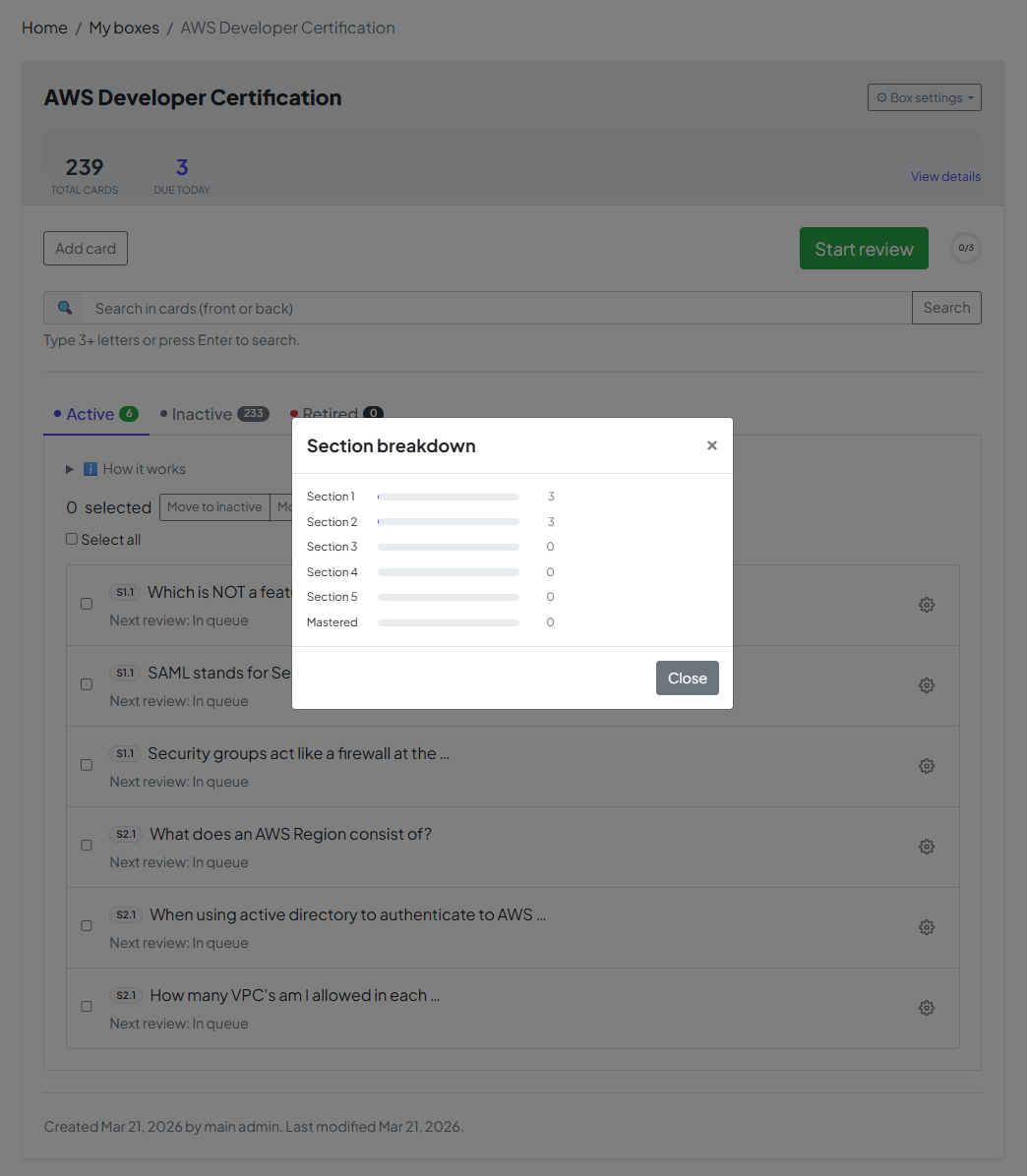
At the end of the review process, you will reach a summary screen. By clicking the "View Details" link, you can see how your box has updated:
-
The Numbers Change: You will notice the card counts in your sections have shifted.
-
Movement: Cards you answered correctly have moved from Section 1 into Section 2.
🏆 Step 5: Mission Accomplished — The "Retired" Mode
The ultimate goal of your box is to move every card into Retired mode. This is the moment of mastery!
-
The Mastery Formula: A card reaches "Retired" status once you have answered it correctly 5 consecutive times at specific, increasing intervals.
-
Long-Term Success: When a card is Retired, it means the information has successfully moved from your short-term memory to your permanent long-term memory.
Congratulations! Once all cards are in Retired mode, you have officially conquered this box. You’ve turned a list of facts into knowledge you'll keep for a lifetime.