When you first add a public box to your collection, import a file, or create a new box from scratch, all cards start in "Queued" mode. This manual will show you how to activate your cards and begin your journey toward long-term mastery.
The Logic: To progress effectively, you should gradually activate cards based on your capacity. This prevents you from being overwhelmed and keeps your study sessions focused.
📥 Step 1: Initiating the Transfer
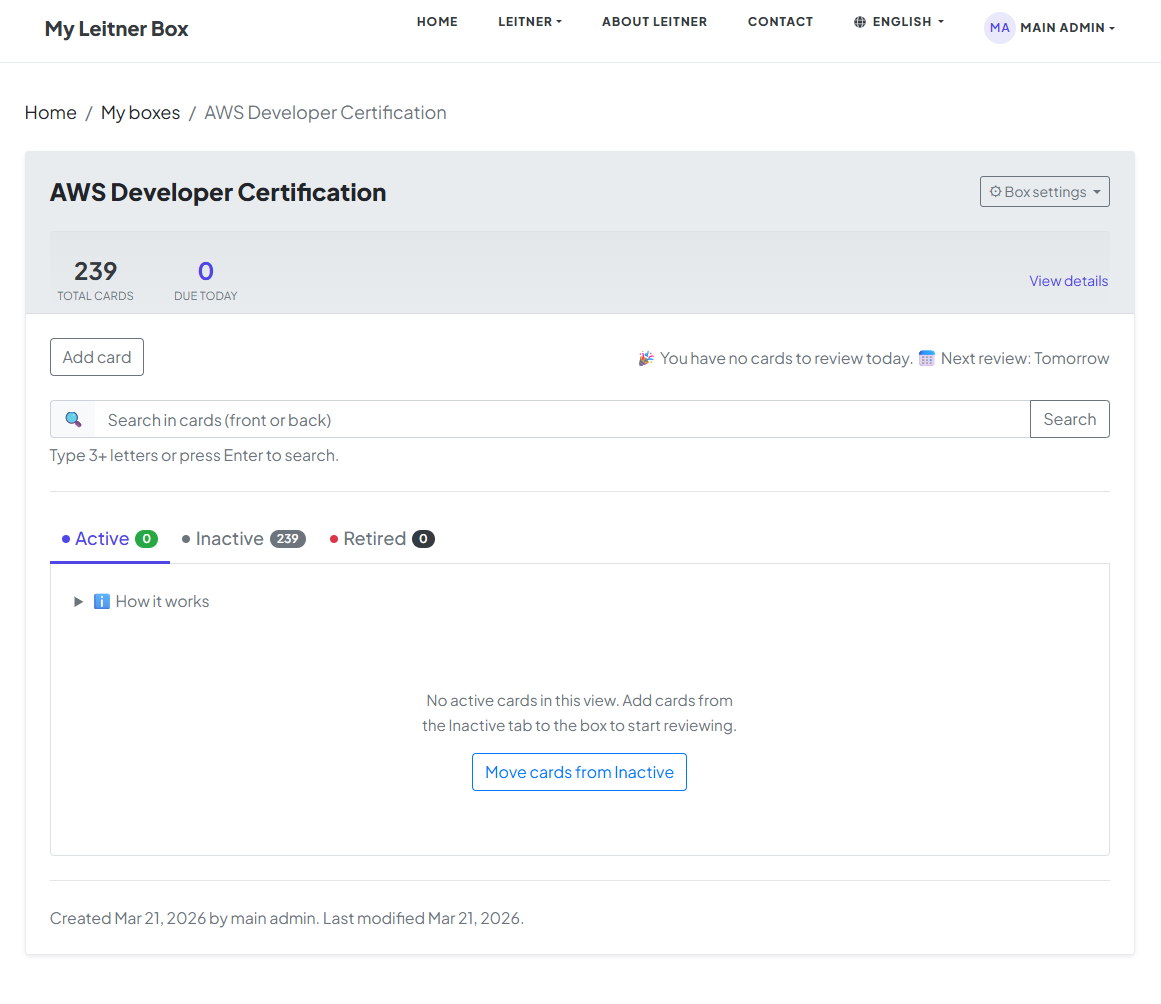
At the beginning, all cards in your box will be in Queued mode. You have two ways to bring them into your study rotation:
-
The Shortcut: Click the "Move cards from Queued" button on your dashboard.
-
The Manual Choice: Go directly to the Queued tab and manually change the status of specific cards to "Active."
In this manual, we will proceed by clicking the "Move cards from Queued" button.
🔢 Step 2: Choosing Your Daily Load
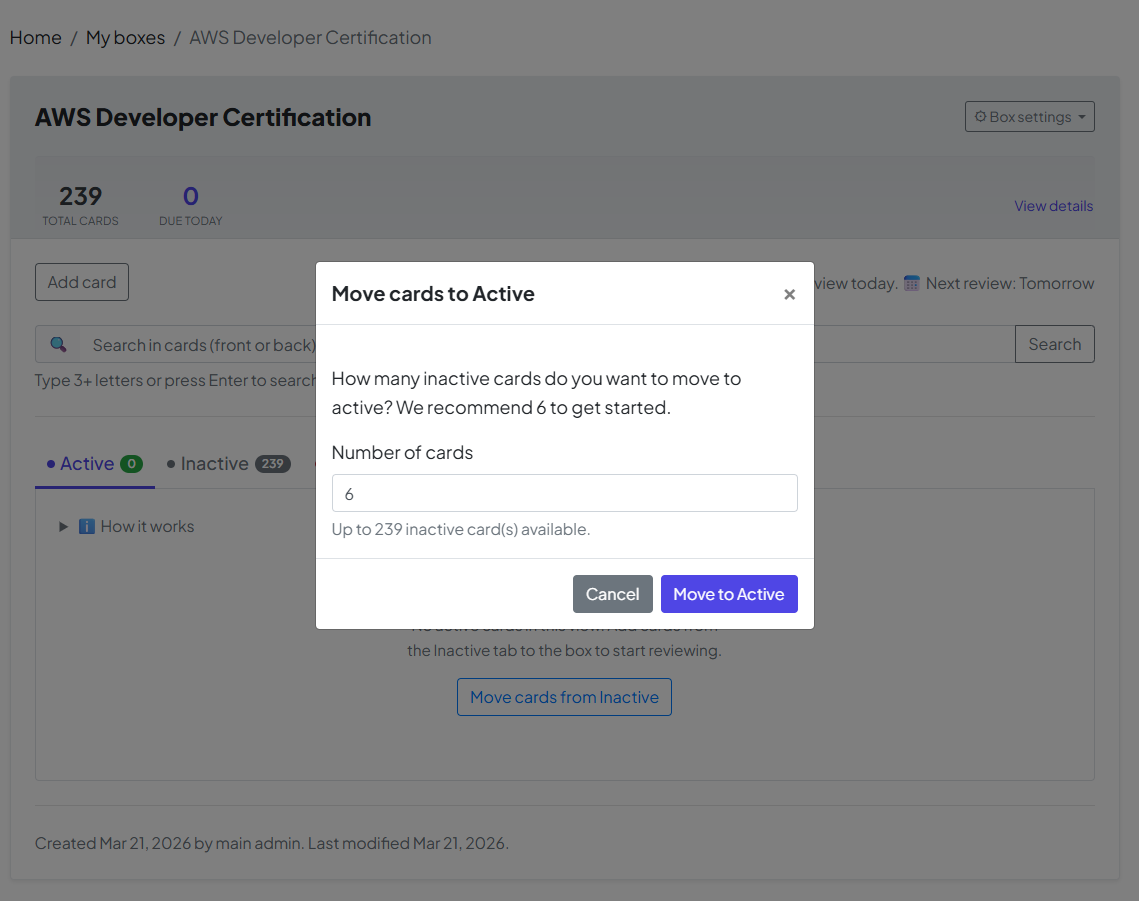
Once you click the button, a window will appear showing the default number of cards to move.
-
The Default: The system suggests 6 cards as a starting point.
-
Your Choice: You can change this number if you want to tackle more or fewer cards today. Once you have set your number, click "Move to Active" to confirm.
🏆 Step 3: Mission Accomplished — The "Retired" Mode
The ultimate goal of your box is to move every card into Retired mode. This is the moment of mastery!
-
The Mastery Formula: A card reaches "Retired" status once you have answered it correctly 5 consecutive times at specific, increasing intervals.
-
Long-Term Success: When a card is Retired, it means the information has successfully moved from your short-term memory to your permanent long-term memory.
Congratulations! Once all cards are in Retired mode, you have officially conquered this box. You’ve turned a list of facts into knowledge you'll keep for a lifetime.
