Once you’ve added cards, you are ready for the most important part: the Review. This is where you practice active recall and move cards through the Leitner sections based on your progress.
1. Open Your Box & Check Today’s Goal
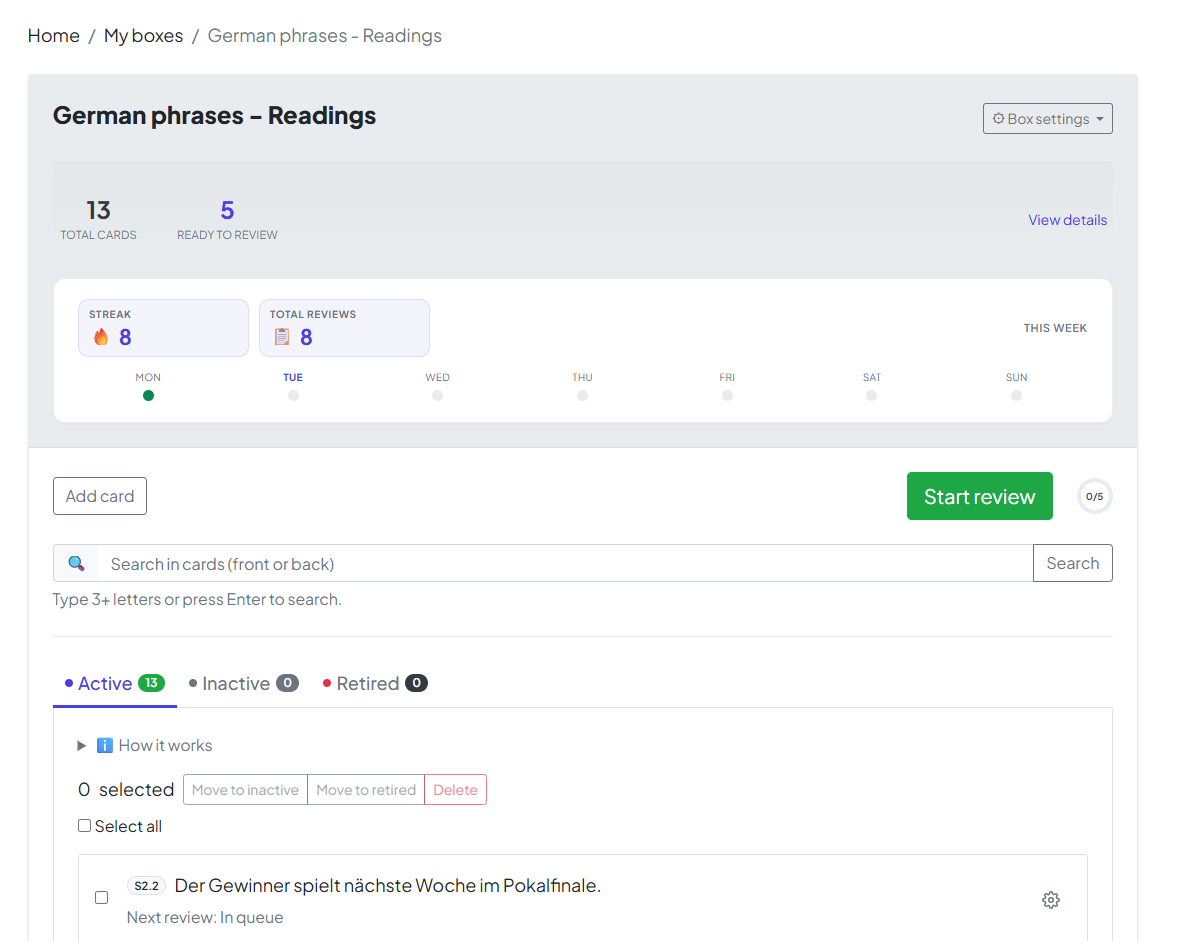
Click your Box Name to open its dashboard. At the top, you’ll see your summary:
-
Total cards: Every card in this box.
-
Ready to review: The number of cards due today. If this is above zero, you’re ready to start!
2. The Review Flow
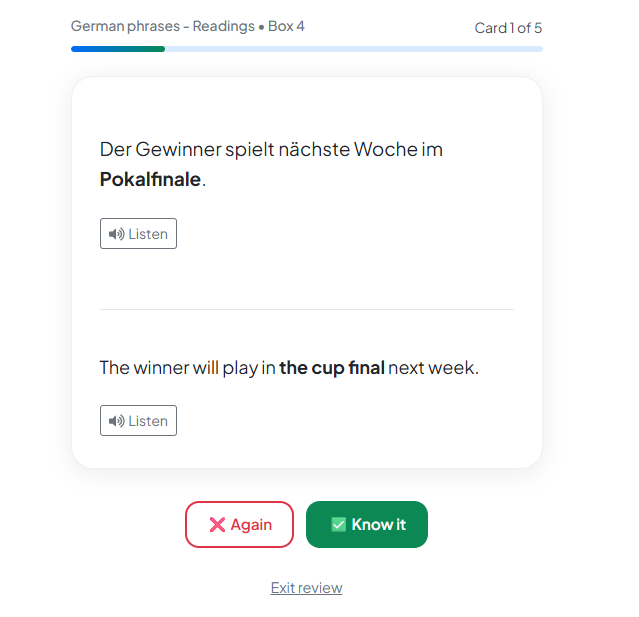
Click Start Review. The app will show you the Front of the card first. Try to recall the answer, then reveal the back to grade yourself.
🔊 Pro Tip: AI-Powered Listening
For Language Phrase boxes, look for the Listen button. We use advanced AI to provide native-level text-to-speech, helping you master pronunciation alongside memory.
Note: This is why setting your languages during box creation is so important—it tells our AI exactly how to speak your phrases!
3. Completing the Session
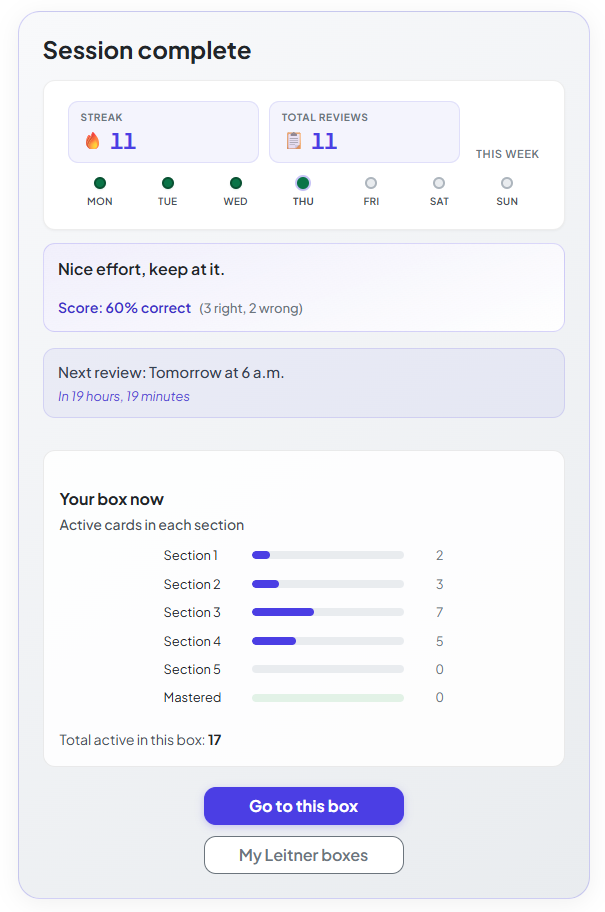
A session is only complete when you’ve finished every card in the current batch. Finishing the full run is required to maintain your streaks and update your completion stats.
4. The "Rest" Period
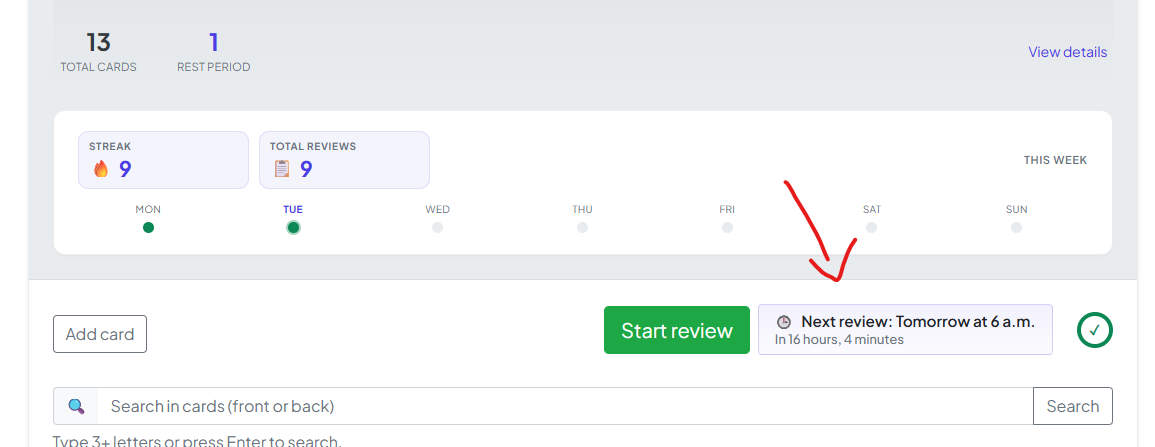
After finishing, the app enforces a short rest period. Spaced repetition is most effective when you don't over-study the same cards in a single day. Your box page will show exactly when your next session is available.
You’re All Set!
You now have the full loop: Create → Add → Review. By following this cycle, you’re ensuring that what you learn today stays with you for the long term.
Happy learning—we’re rooting for you!