Review Analytics transforms your study history into a personal roadmap. Instead of guessing, use your own data to find your "Golden Hour" for focus and identify exactly where you need to improve.
1. How to Unlock
To ensure your data is meaningful, Analytics unlocks once you’ve established a consistent habit: one full Monday-to-Sunday review week in at least one box.
-
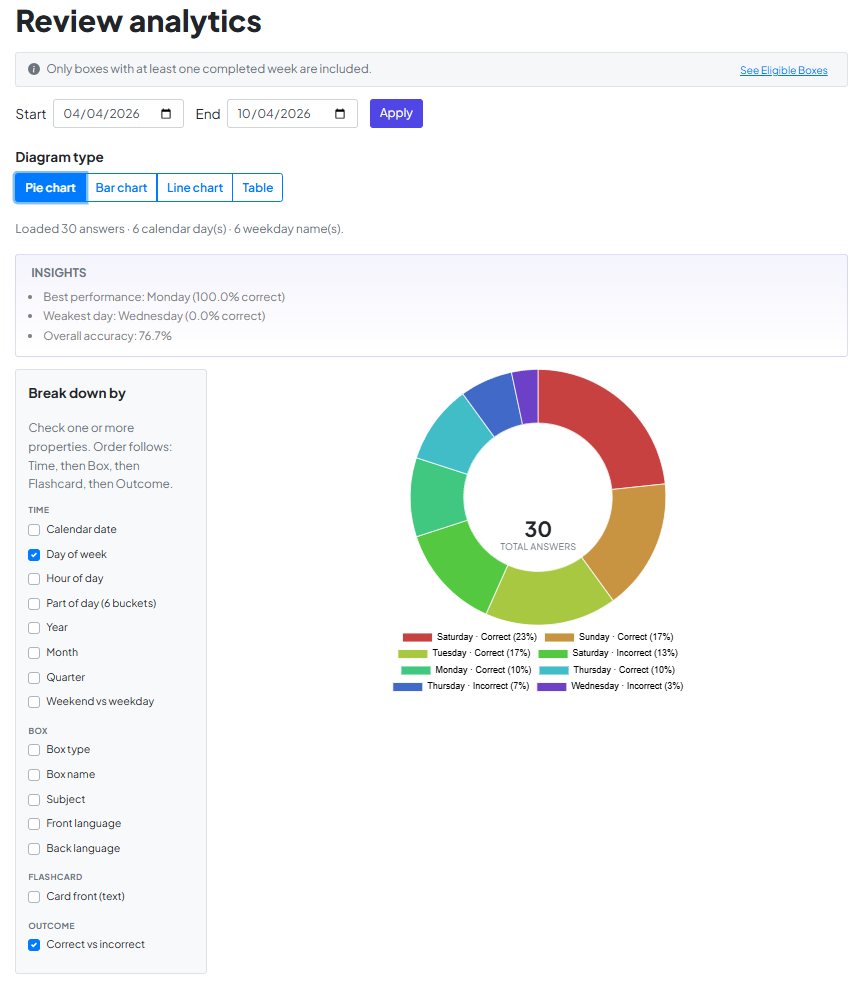
The Info Bar: At the top of the page, this bar tracks your status. It tells you what’s needed to unlock or which boxes are currently included.
-
The Eligibility Panel: Click the info bar to see a breakdown of every box you own. It shows its status (Eligible, In Progress, or Pending) and a visual countdown of days remaining in your streak.


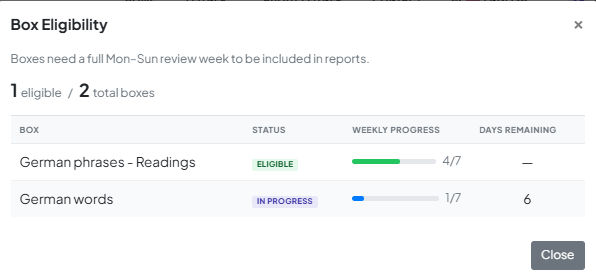
Tip: You don't need to unlock everything. As soon as one box is ready, you're in!
2. Generate Your Insights
Once unlocked, your data is ready to be sliced and diced.
-
Set the Range: Choose your Start and End dates and hit Apply.
-
Break it Down: Use the sidebar to check the properties you want to see (like Day of Week or Box Name). The system automatically layers these to show you exactly where you excel.
-
Choose Your Lens: Toggle between Pie, Bar, Line charts, or a Table to visualize your progress.
3. Automatic "Aha!" Moments
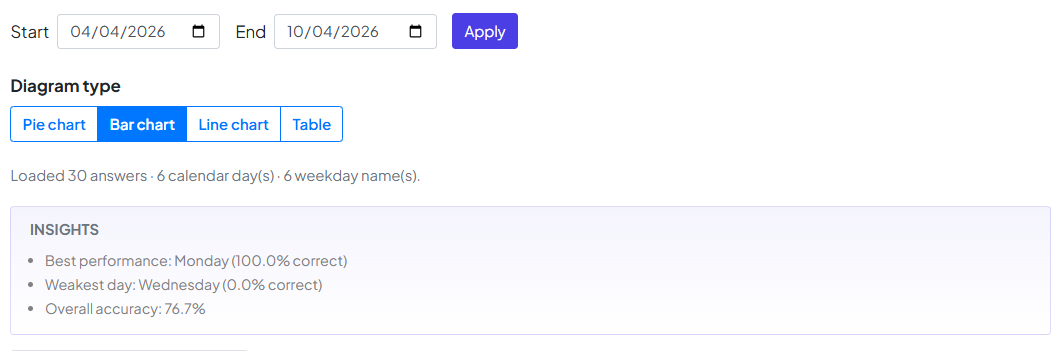
Don't want to dig through the numbers? Check the Insights panel. It automatically flags patterns for you, such as:
-
Best Performance: Which day of the week you hit 100%.
-
Weakest Day: When you might need an extra shot of espresso or a lighter study load.
-
Overall Accuracy: Your total retention rate across the selected period.
A Final Note from the Team
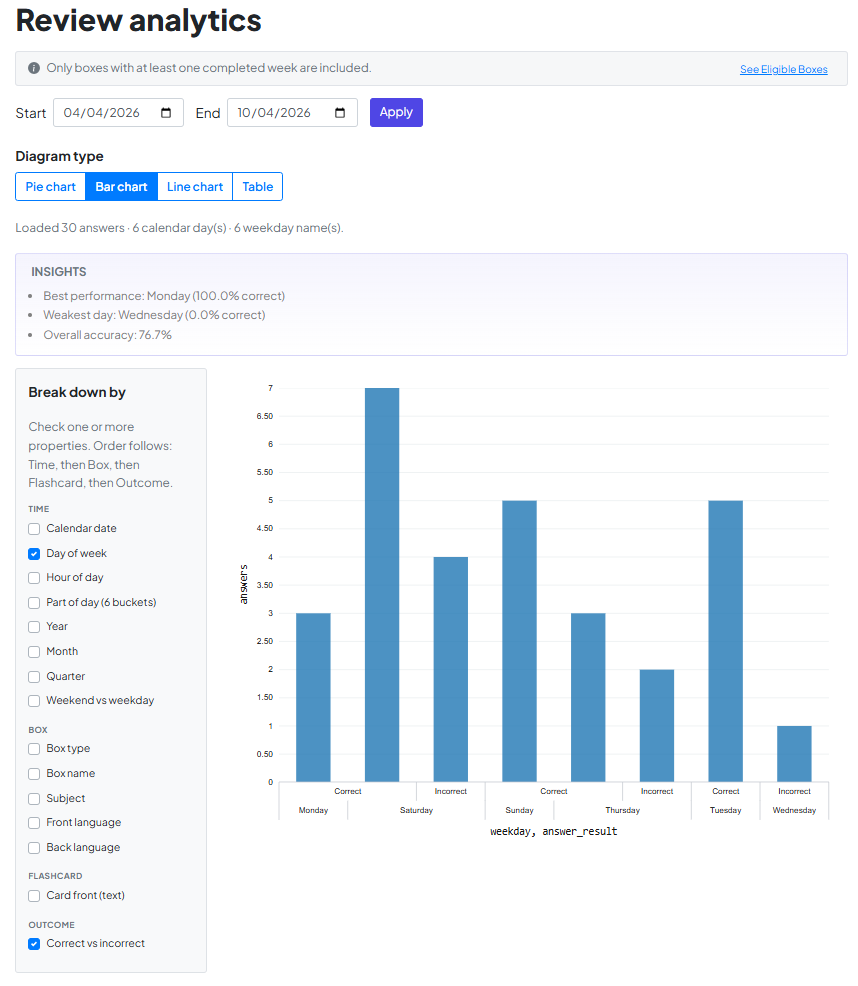
At the end of the day, these charts are more than just numbers—they are a reflection of your dedication. We built Review Analytics to take the guesswork out of your progress, helping you study smarter, not longer.
We’re honored to be a part of your learning story. Happy studying, and we’re rooting for your success!